Your mouse, your DualSense
Chiaki-UCR turns your mouse and keyboard into a virtual DualSense controller to play your PS5 or PS4 via chiaki-ng on your Mac. Native, 125 Hz, and zero kernel drivers.
M1–M4 Apple Silicon 13+ macOS Ventura MIT open source
Built for precision aiming
A C++ and Objective-C++ plugin injected via DYLD_INSERT_LIBRARIES, paired with a SwiftUI control app. Chiaki sees an authentic controller connected.
-
125 Hz DualSense
SDL2Chiaki detects a genuine PlayStation controller via SDL_VirtualJoystickDesc. No kernel drivers or external emulators required.
-
Anti-deadzone engine
AIMINGCompensates for in-game deadzones on PS5 from 0 to 100%. Independent X/Y sensitivity, linear or exponential curves, and smoothing.
-
ADS multiplier
L2Hold right-click and your crosshair automatically decelerates for pinpoint accuracy. You configure how much.
-
Vehicle mode (F6)
GTAW acts as analog throttle (R2) and S as brake or reverse (L2). Tailored for GTA and open-world games.
-
Live telemetry
SHMThe SwiftUI companion app reads plugin state via POSIX shared memory (/tmp/chiaki_ucr_state.shm). Watch sticks and triggers update in real time.
-
Assisted weapon wheel
L1Holding L1 lets mouse movement steer a virtual selector; the right stick locks directly onto your chosen weapon.
Full control at a glance
Telemetry for both sticks and triggers, quick profiles, and full mouse engine sliders. Real-time tuning, zero restarts.
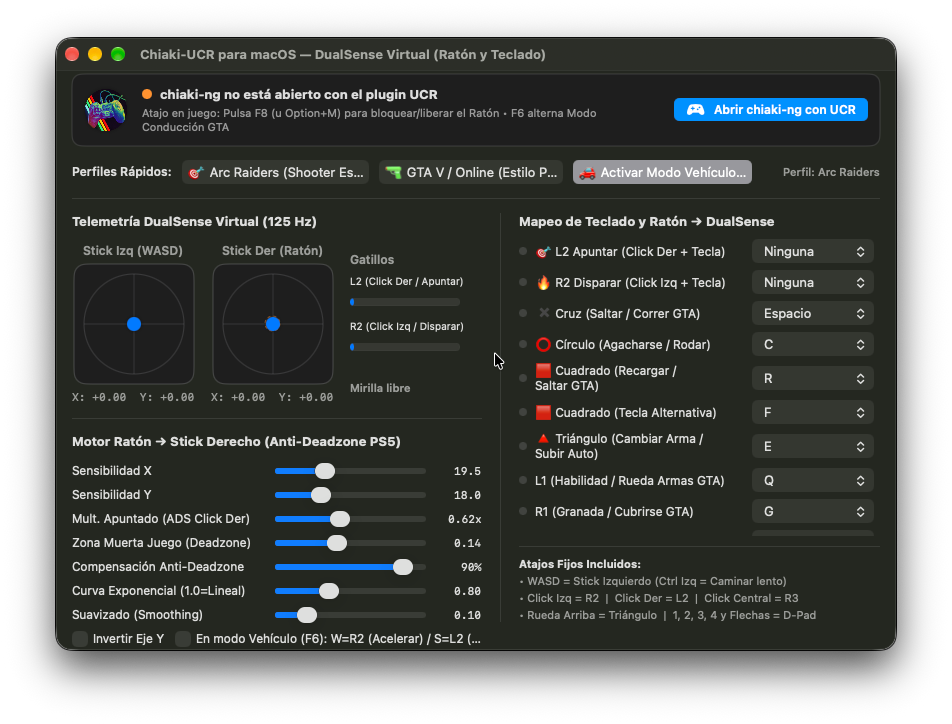
Scroll to view full panel →
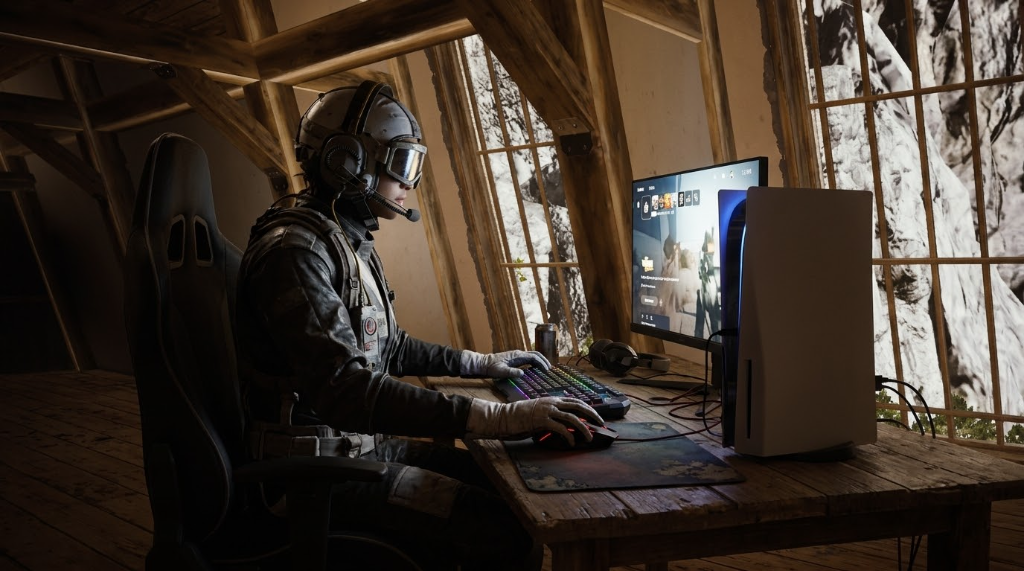 Active Profile: Arc Raiders
 Keyboard and mouse on console
A shooter profile ready for Arc Raiders: fine-tuned aiming, right-click ADS, and Q weapon wheel.
Every button, a key
These are the default bindings. Everything can be customized in the app panel.
| DualSense | Action | Key |
|---|---|---|
| Left Stick | Movement | WASD Left Ctrl = slow walk |
| Right Stick | Camera & Aim | Mouse |
| L2 | Aim | Right click |
| R2 | Fire | Left click |
| Cross | Jump / Run | Space |
| Circle | Crouch / Roll | C |
| Square | Reload / Interact | R Alternative: F |
| Triangle | Switch weapon | E Or scroll up |
| L1 | Ability / Weapon wheel | Q |
| R1 | Grenade / Cover | G |
| L3 | Sprint | Left Shift |
| R3 | Melee | Middle click |
| D-Pad | D-Pad | 1234 & Arrow keys |
| Touchpad | Map / Inventory | Tab |
| Options | Pause | M Or Enter |
F8 · Option + M
Locks or unlocks the mouse. Locking activates DualSense input; releasing lets you use your Mac normally.
F6 · Vehicle mode
W accelerates with analog R2 and S brakes or reverses with L2.
L1 · Weapon wheel
Hold L1 and move the mouse: the right stick holds the chosen weapon angle without snapping back.
Install in five steps
You need an Apple Silicon Mac, macOS 13 or later, and chiaki-ng installed.
Chiaki-UCR emulates a DualSense controller. In competitive online games, some developers consider keyboard and mouse emulation an unfair advantage or a violation of their terms of service, with potential risk of sanctions or bans. Play wisely and at your own risk.
-
Install chiaki-ng
Download chiaki-ng and place it in /Applications/chiaki-ng.app. Requires an Apple Silicon Mac (M1 to M4) and macOS 13 or later.
-
Download Chiaki-UCR
Download Chiaki-UCR-macOS-arm64.zip from Releases, unzip it, and drag Chiaki-UCR.app into /Applications.
-
Remove quarantine
The app is not signed with an Apple developer certificate. If macOS says the app is damaged, run the command below in Terminal.
xattr -cr /Applications/Chiaki-UCR.app -
Launch chiaki-ng with UCR
In Chiaki-UCR, click the blue button «Open chiaki-ng with UCR». This opens chiaki-ng with the injected plugin. Start your PS5 or PS4 stream.
-
Press F8 and play
F8 (or Option + M) locks the mouse and activates the DualSense. Press again to release the cursor. F6 toggles vehicle mode.
Frequently asked questions
Does it work with PS4 and PS5?
Yes. Chiaki-UCR works on top of chiaki-ng, which already handles Remote Play with both consoles.
Does it work on Intel Macs or Windows?
No. It is built specifically for Apple Silicon Macs running macOS 13 or later.
Why does macOS ask for permissions?
When locking the mouse for the first time, macOS requests Accessibility or Input Monitoring permissions in System Settings > Privacy & Security. Grant them so it can capture the cursor and keystrokes.
Can I customize the keybindings?
Yes. All controls and sensitivity curves can be adjusted in real time from the app panel, and quick profiles are included for Arc Raiders and GTA V.
Can you get banned in competitive online games?
Chiaki-UCR emulates a legitimate DualSense controller through chiaki-ng, so the system receives standard controller input. However, in competitive or multiplayer online matches, some developers consider keyboard and mouse emulation an unfair advantage or a violation of their terms of service, carrying a potential risk of penalties or bans. We recommend reviewing each game's policy and using the tool prudently at your own discretion.
How much does it cost?
Zero. It is open source under the MIT license. If you find it helpful, you can support development with a PayPal donation.